 Instant Studio
Free tool
Instagram Reels safe zone checker (plus Shorts and TikTok)
Load a frame or a video and see which parts of it the app's buttons, captions and profile bar will cover. Fix the text before you post, not after the comments say they can't read it.
Short answer
For Instagram Reels, keep text, logos and faces out of roughly the top 14%, the bottom 35% and 6% on each side of a 9:16 frame (Meta's guidance for Reels ads). Load your frame or video below to see exactly what each app covers.
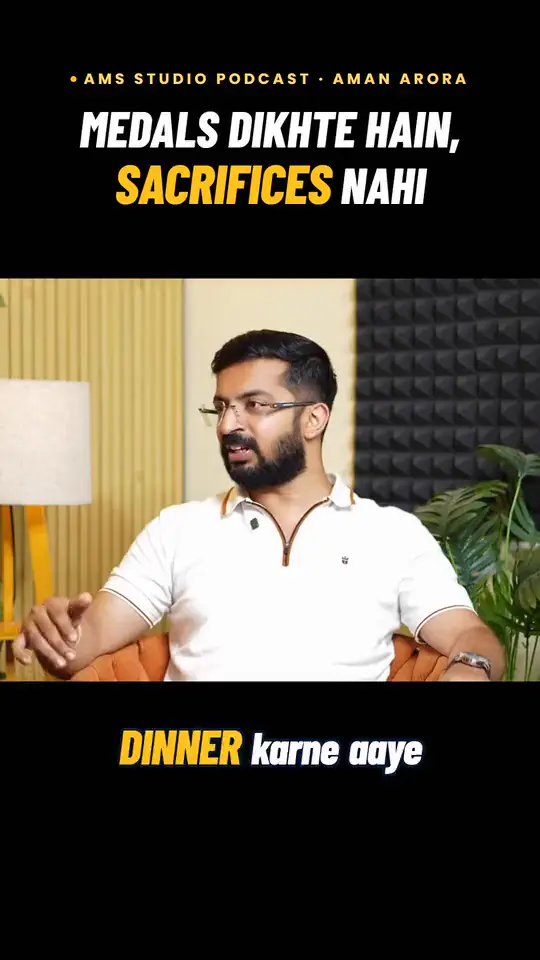
Your file stays on your device. Nothing is uploaded.
How to use the checker
- Export a still from your edit, or use the video file itself. Phone screenshots of a draft work too.
- Load it above. The dashed box is the area that stays clear on that app; the tinted bands are where the app's interface sits: profile and audio at the top, caption, buttons and the progress bar at the bottom, and the like, comment and share column on the right.
- Turn platforms on and off. If you post the same reel everywhere, keep text inside the area that's clear on all of them. That's roughly the middle half of the frame.
- If anything important sits in a tinted band, move it. Re-check the frame where your hook text first appears, because that's the frame people judge the reel on.
Where the zones come from
- Instagram Reels: Meta's ads guide asks advertisers to leave roughly the top 14%, bottom 35% and 6% on each side of a 9:16 Reels asset free of text and logos (Meta, Reels ad specs, checked 25 October 2026). Organic Reels share the same layout, so it's a safe rule for every reel, not just ads.
- YouTube Shorts and TikTok: neither publishes one fixed figure we could verify, and both layouts shift with app versions and phone sizes. The overlays here are approximate, based on common creator guidance. Treat them as a warning light, and confirm on your own phone before posting.
Tips for text that never gets covered
- Put the hook in the upper-middle, just below the top band. That's where the eye lands first in a vertical feed.
- Keep captions above the bottom third. Burned-in captions placed where the Instagram caption text sits are the most common mistake we see in raw edits.
- Mind the right edge. The like, comment and share buttons cover the right side on all three apps. Left-align or centre text and keep it away from that column.
- Use 2–4 words per caption line at a large size, with a stroke or shadow so it reads over busy footage. Our Hinglish caption converter can split lines for you.
- Logos and prices belong in the safe area too, especially the end card.
Instant Studio places captions, hook titles and price callouts inside the safe area automatically when it edits your raw clips, in your brand's fonts and colours. It's ₹2,999 a month, cancel anytime, with no credits or per-reel fees, plus your own paid Claude plan (billed by Anthropic). See how reference-style editing works.
Questions people ask
What is the Instagram Reels safe zone?
Meta's guidance for Reels ads is to keep about the top 14%, the bottom 35% and 6% on each side of a 9:16 frame free of text, logos and key details, so the profile icon, caption and buttons don't cover them. Organic Reels use a very similar layout, so the same zone is a good rule for every reel.
Are the YouTube Shorts and TikTok zones official?
No. The Instagram Reels zone follows Meta's published ad guidance. The Shorts and TikTok overlays are approximate, based on common creator guidance and the apps' current layouts, which change with app versions and phone sizes. Check a draft on your own phone before you publish.
Is my video uploaded anywhere?
No. The file is opened by your browser on your own device and never leaves it. The page has no upload code at all, and it works offline once it has loaded.
What size should a reel be?
1080 × 1920 pixels, a 9:16 vertical frame. Anything wider gets cropped or shown with bars, so the tool warns you when your file isn't 9:16.